
For a local business, your Google Business Profile is often more important than your website. It is what people see when they search for your name, your service or "near me" — complete with your rating, photos, hours, phone number and a button for directions. Many customers decide whether to call you based on this profile alone, without ever visiting your website.
Yet most profiles I review are incomplete or outdated. Here is how to optimise yours properly.
Key takeaways
- Your Google Business Profile is often the first thing local customers see.
- Choose the most accurate primary category and add relevant secondary categories.
- Add high-quality photos regularly and keep hours, services and contact details accurate.
- Post updates, answer questions and reply to every review.
- Track calls, messages, direction requests and website clicks in profile insights.
Claim and verify your profile
Search for your business on Google Maps. If a profile exists, claim it; if not, create one. Google will ask you to verify ownership, typically by phone, email, video or postcard depending on the business. Verification is essential before your edits appear reliably.
Choose categories carefully
Your primary category has a large influence on which searches you appear for. Choose the most specific category that describes your main business — "Orthodontist" rather than "Dentist" if that is your specialisation, "Real estate agency" rather than "Consultant". Then add secondary categories for other genuine services. Do not add categories that do not apply.
Use your real business name
Enter your business name exactly as it appears on your signage and documents. Adding keywords or locations to the name — "Sharma Dental Clinic Best Dentist Pune" — violates guidelines and can lead to suspension.
Write a helpful description
You have space for a description of what you do. Explain your main services, who you serve, what makes you different and your location, in natural language. Mention genuine facts such as years of experience. Avoid links, all capitals and promotional exaggeration.
Complete every detail
Fill in everything relevant:
- Address or service area.
- Phone number that is answered.
- Website link, ideally to a relevant page.
- Hours, including special hours for festivals and holidays.
- Attributes such as wheelchair access, online appointments or women-led, where applicable.
- Products and services with names, descriptions and prices where suitable.
- Booking or appointment links if you take bookings.
Completeness helps both customers and rankings.
Add great photos and videos
Profiles with good photos receive more engagement. Upload:
- Exterior photos so people recognise your premises.
- Interior photos showing the environment.
- Team photos to build trust.
- Photos of your work, products or results (with customer permission).
- Short videos showing the experience.
Add new photos regularly; an active profile signals an active business.
Publish posts
Posts let you share offers, events, updates and new products directly on your profile. Post regularly — weekly if possible — with a clear image and a call to action. Seasonal offers and festival greetings with a relevant message work well in India.
Manage questions and answers
Customers can ask questions on your profile, and anyone can answer them. Monitor this section, answer questions accurately, and consider adding your own frequently asked questions with clear answers.
Build and respond to reviews
Reviews are among the strongest factors for local ranking and trust. Make it easy for satisfied customers to leave reviews with a direct link or QR code, and respond to every review — positive or negative — professionally. My full approach is in how to get more genuine customer reviews.
Enable messaging carefully
If messaging features are available for your profile, only enable them if someone can respond quickly. Slow replies to messages create a poor impression.
Keep information consistent
Your name, address and phone number should match exactly across your website, social media and directories. Inconsistencies reduce trust. Read more in local SEO for Indian businesses.
Watch the insights
Your profile's performance data shows how many people found you, how they searched, and what actions they took — calls, direction requests, website clicks. Track these monthly to see the impact of your improvements.
Protect your profile
Anyone can suggest edits to your profile. Check it regularly to make sure no incorrect changes have been made to your hours, phone number or address. Respond quickly to any suspicious activity.
Common mistakes
- Choosing a vague primary category.
- Keyword-stuffed business names.
- Outdated hours during festivals.
- No photos, or only low-quality ones.
- Ignoring reviews.
- Multiple duplicate profiles for one location.
A monthly routine
- Add new photos.
- Publish at least two posts.
- Respond to all new reviews and questions.
- Check that details are accurate.
- Review insights.
This takes about an hour a month and keeps your profile strong.
Profile optimisation checklist
| Section | What to do |
|---|---|
| Business name | Use your real name exactly as on signage |
| Categories | Accurate primary category plus relevant secondary ones |
| Address / service area | Correct address or defined service areas |
| Hours | Regular and holiday hours always up to date |
| Services / products | List with descriptions and prices where possible |
| Description | Clear explanation of what you do and for whom |
| Photos and videos | Exterior, interior, team, work samples — updated regularly |
| Posts | Offers, updates and events weekly or fortnightly |
| Reviews | Request steadily, reply to all |
| Messaging | Enable if you can respond quickly |
Photos that build trust
Customers want to see what to expect. Upload clear photos of your entrance (so people can find you), interior, team, products and finished work. Short videos of your space or process add authenticity. Avoid stock images, which reduce trust.
Protecting your profile
Restrict access to trusted managers, watch for unwanted edits suggested by others, respond to inaccurate information quickly and keep verification details current.
A 7-step profile optimisation routine
- Claim and verify your profile, and make sure the business name matches your real signage.
- Choose the most accurate primary category and a few relevant secondary categories.
- Fill in hours, services, products, attributes, service areas and a detailed description.
- Upload real photos of your premises, team and work, and add new ones every month.
- Publish a Google post weekly about offers, updates or helpful tips.
- Ask satisfied customers for reviews and reply to every review professionally.
- Answer questions in the Q&A section and check Performance insights monthly.
Frequently asked questions
Is Google Business Profile free?
Yes. Creating and managing a profile is free.
How do I get more reviews on my profile?
Ask satisfied customers with a direct review link via WhatsApp, email or a QR code at your premises.
How often should I post?
Weekly or fortnightly posts keep the profile active and informative.
Why was my profile suspended?
Common reasons include keyword-stuffed names, incorrect addresses or policy violations. Follow guidelines carefully and request reinstatement with evidence.
Why is my profile not showing in local results?
Common reasons include incomplete information, an inaccurate category, few reviews, inconsistent business details online or simply strong competition nearby. Improve each factor steadily.
Final thought
Your Google Business Profile is your shopfront on the internet. Keep it complete, accurate, active and well-reviewed, and it will bring customers to your door every day. For a complete local strategy, combine it with a strong website and read the technical SEO checklist. For help, visit DND Teams and the SEO expert page.
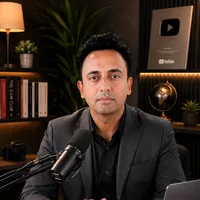
Jitendra Wadhwani
Global Entrepreneur · AI & Tech Expert · Digital Marketing & SEO · International Business Coach
Jitendra Wadhwani is an Indian businessman and global entrepreneur who leads HYRAX COMMUNICATION PVT LTD, a 15 years trusted company, and its ventures DND Teams, Viral In City and A Property Agency. He works as an AI and tech expert, digital marketing, social media and SEO expert, international business coach, trainer and YouTuber, serving clients and audiences across India, the USA, UK, UAE, Europe and worldwide. Everything he writes comes from hands-on work with real businesses, creators and learners.