
You can write brilliant content, but if search engines struggle to crawl, understand or trust your website, that content may never rank. Technical SEO is the foundation that makes everything else possible. Many small business websites have serious technical problems that nobody notices because the site "looks fine" in a browser.
Here is the checklist I use when auditing a small business website. You do not need to be a developer to understand it, and many items can be checked with free tools like Google Search Console.
Key takeaways
- Technical SEO ensures search engines can crawl, render, index and understand your website.
- Use HTTPS, a clean URL structure, an XML sitemap and a correct robots.txt.
- Fix broken links, redirect chains and duplicate content with canonical tags.
- Optimise speed and mobile experience, measured with Core Web Vitals.
- Add structured data to help search engines and AI systems understand your content.
1. HTTPS everywhere
Your website should load securely over HTTPS, with a valid certificate, and every HTTP version should redirect permanently (301) to HTTPS. Browsers warn visitors about insecure sites, and search engines prefer secure ones.
2. One canonical version of each URL
Your site can often be reached in several ways: with or without "www", with or without a trailing slash, over HTTP or HTTPS. Choose one version and redirect all others to it. Add a canonical tag to each page pointing to its preferred URL. This prevents duplicate content and concentrates ranking signals.
3. Crawlability and indexing
- Check that important pages are not blocked by robots.txt or a noindex tag.
- Use Search Console's page indexing report to see which pages are indexed and why others are not.
- Make sure every important page is linked from somewhere on your site; orphan pages are hard for search engines to find.
4. XML sitemap
An XML sitemap lists the pages you want indexed. It should contain only live, canonical, indexable URLs that return a 200 status. Submit it in Search Console and reference it in robots.txt. If you have videos, a video sitemap helps search engines understand them.
5. Clean URL structure
URLs should be short, readable and descriptive: /services/web-design/ is better than /page?id=4783. Use hyphens between words and keep a logical folder structure.
6. Page speed and Core Web Vitals
Speed affects both rankings and conversions. Key improvements include compressing images (WebP format is excellent), lazy-loading images and videos below the fold, minimising JavaScript, using caching and compression on the server, and avoiding heavy page builders where possible. I go deeper in website speed and Core Web Vitals.
7. Mobile-friendliness
Google primarily uses the mobile version of your site for indexing. Test on real phones: text should be readable without zooming, buttons should be easy to tap, and nothing should overflow the screen.
8. Titles and meta descriptions
Every page needs a unique, descriptive title tag (roughly 50–60 characters) and a meta description that summarises the page and encourages clicks. Duplicate or missing titles are among the most common issues I find.
9. Heading structure
Each page should have one H1 that describes the main topic, followed by logical H2 and H3 subheadings. Headings help readers scan and help search engines understand structure.
10. Structured data
Schema markup helps search engines understand entities on your page — your organisation, local business details, people, articles, products, FAQs, videos and breadcrumbs. Use JSON-LD format and validate with Google's Rich Results Test. Structured data is also increasingly important for visibility in AI search.
11. Redirects and broken links
- Use 301 redirects when you move or delete pages, pointing to the most relevant new page.
- Avoid redirect chains (A → B → C).
- Run a link checker regularly to find broken internal and external links, and fix them.
- Create a helpful custom 404 page that guides visitors back to useful content.
12. Images
Use descriptive file names, add meaningful alt text for accessibility and image search, specify width and height to prevent layout shifts, and serve appropriately sized images.
13. Internal linking
Link related pages to each other with descriptive anchor text. Internal links help visitors navigate, spread authority across your site, and show search engines which pages are most important.
14. Security and maintenance
Keep your CMS, themes and plugins updated, use strong passwords and two-factor authentication, and take regular backups. A hacked site can be flagged by search engines and lose rankings quickly.
15. Monitoring
Set up Google Search Console and Bing Webmaster Tools. Review coverage errors, Core Web Vitals and manual actions monthly. Protocols like IndexNow can notify participating search engines quickly when you publish or update pages.
How to use this checklist
Go through it once to identify problems, fix the most serious ones first — anything blocking crawling or indexing — then work through speed, structure and enhancements. Review quarterly.
Technical SEO audit table
| Area | Check | Tool or method |
|---|---|---|
| Security | Site loads on HTTPS, no mixed content | Browser, crawler |
| Indexing | Important pages indexed, no accidental noindex | Search Console, site: search |
| Sitemaps | XML sitemap submitted and up to date | Search Console |
| Crawlability | robots.txt allows key pages | robots.txt tester |
| Redirects | No chains or loops; 301 for moved pages | Crawler |
| Duplicates | Canonical tags on similar pages | Crawler, page source |
| Speed | Good Core Web Vitals on mobile | PageSpeed tools |
| Structured data | Valid schema for organisation, articles, FAQs | Rich results test |
Prioritising fixes
Not every issue matters equally. Fix problems that block indexing first (noindex errors, blocked resources, server errors), then problems that waste crawl effort or split signals (redirect chains, duplicates), then experience issues (speed, mobile usability), and finally enhancements (structured data, internal linking improvements).
Ongoing maintenance
Run a crawl monthly, review Search Console coverage and experience reports, check new pages for correct titles, canonicals and schema, and re-test speed after major changes.
A 7-step technical audit
- Check indexing status in Google Search Console.
- Review robots.txt and the XML sitemap for errors.
- Crawl the site to find broken links, redirects and duplicate titles.
- Test mobile usability and Core Web Vitals.
- Verify canonical tags and HTTPS on every page.
- Validate structured data with the Rich Results Test.
- Fix issues in priority order and recheck monthly.
Frequently asked questions
Do small websites need technical SEO?
Yes. Even small sites can have indexing or speed problems that limit visibility.
What is a canonical tag?
A tag that tells search engines which version of similar pages is the main one to index.
How do I find broken links?
Use a website crawler or link-checking tool and fix or redirect broken URLs.
Is structured data a ranking factor?
Not directly, but it helps search engines understand content and can enable rich results that improve clicks.
Do small websites need technical SEO?
Yes. Even small sites need proper indexing, mobile usability, speed and correct tags to perform well.
How often should I run a technical audit?
A light monthly check and a deeper quarterly audit suit most small and medium websites.
Final thought
Technical SEO is not glamorous, but it is the difference between a website that search engines love and one they struggle with. Get the foundation right, and your content and links will deliver far better results. For professional audits and development, see DND Teams, and read more on the SEO expert page.
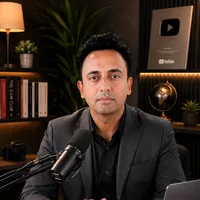
Jitendra Wadhwani
Global Entrepreneur · AI & Tech Expert · Digital Marketing & SEO · International Business Coach
Jitendra Wadhwani is an Indian businessman and global entrepreneur who leads HYRAX COMMUNICATION PVT LTD, a 15 years trusted company, and its ventures DND Teams, Viral In City and A Property Agency. He works as an AI and tech expert, digital marketing, social media and SEO expert, international business coach, trainer and YouTuber, serving clients and audiences across India, the USA, UK, UAE, Europe and worldwide. Everything he writes comes from hands-on work with real businesses, creators and learners.